

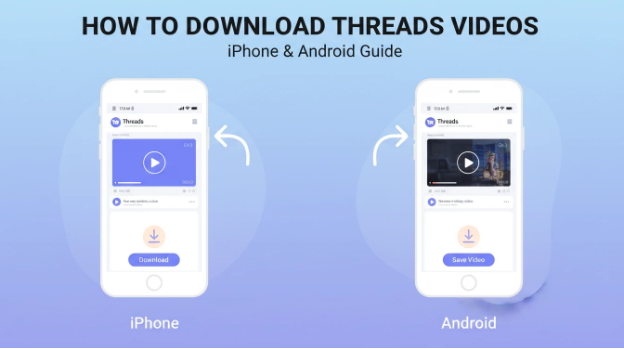
Threads is mostly a mobile-first experience. Videos appear while you’re scrolling casually, often at moments when you don’t have time to stop and analyze what you’re seeing. A clip might spark an idea, show an editing technique, or explain something clearly, but once you move on, it’s easy to lose track of it.
Downloading videos from Threads on iPhone and Android gives you a way to slow things down. Instead of relying on bookmarks inside the app, you keep a local copy that stays available regardless of algorithms, connectivity, or device changes.
Why Mobile Downloads Are So Useful
Most discovery happens on phones, not desktops. You notice interesting content while waiting, commuting, or switching between tasks. If saving a video requires opening a laptop later, that intention often disappears.
Mobile downloads make saving immediate. You see a video, copy the link, and handle everything from the same device. For creators, this is especially helpful because ideas often start on mobile even if final production happens elsewhere.
Offline access is another benefit. Downloaded videos can be watched without buffering, notifications, or interruptions. That alone changes how carefully you can observe short-form content.
Downloading Threads Videos on iPhone
On iPhone, the process fits neatly into the existing workflow. You open a public Threads post, tap the share option, and copy the link. From there, Safari or another browser takes over.
A browser-based tool processes the link and prepares the video for download. Once saved, the file can be stored in Files or Photos, making it easy to revisit later or transfer to another device.
Using a focused service like savethr works well on iPhone because nothing needs to be installed. There are no extra permissions and no long-term changes to your device.
Downloading Threads Videos on Android
Android follows almost the same pattern. You copy the link from a public Threads video and open it in your preferred browser. The video is processed and downloaded directly to your device.
Android’s file system makes organization flexible. Videos can be saved to custom folders, renamed immediately, or moved into cloud storage. This is useful for creators who plan to edit clips later or build reference collections over time.
Because everything happens in the browser, switching phones or browsers doesn’t affect the workflow.
How People Actually Use Saved Threads Videos
Saved videos are rarely meant to be reposted instantly. More often, they’re studied. A creator might collect examples of strong openings and review them later. A designer could pause on specific frames to analyze motion or layout. A marketer might store clips over several weeks to notice patterns.
Offline viewing plays a role here too. Flights, long commutes, or areas with poor signal become opportunities to review content instead of lost time. Local files make that possible.
Organization helps turn downloads into something useful. Some people group videos by theme or project. Others rename files with short notes explaining why a clip was saved. Over time, this becomes a personal inspiration library that’s easier to use than saved posts inside an app.
How to Download a Threads Video on iPhone or Android
- Open the Threads app and find a public video you want to save
- Tap the share icon and copy the post link
- Open your mobile browser, such as Safari or Chrome
- Paste the link into an online tool for saving videos
- Wait briefly while the video is processed
- Download the video to your device for offline viewing or editing
Downloading videos from Threads on iPhone and Android isn’t about saving everything you scroll past. It’s about keeping a small number of meaningful clips in a format that works on your phone and supports how you actually browse, learn, and create.